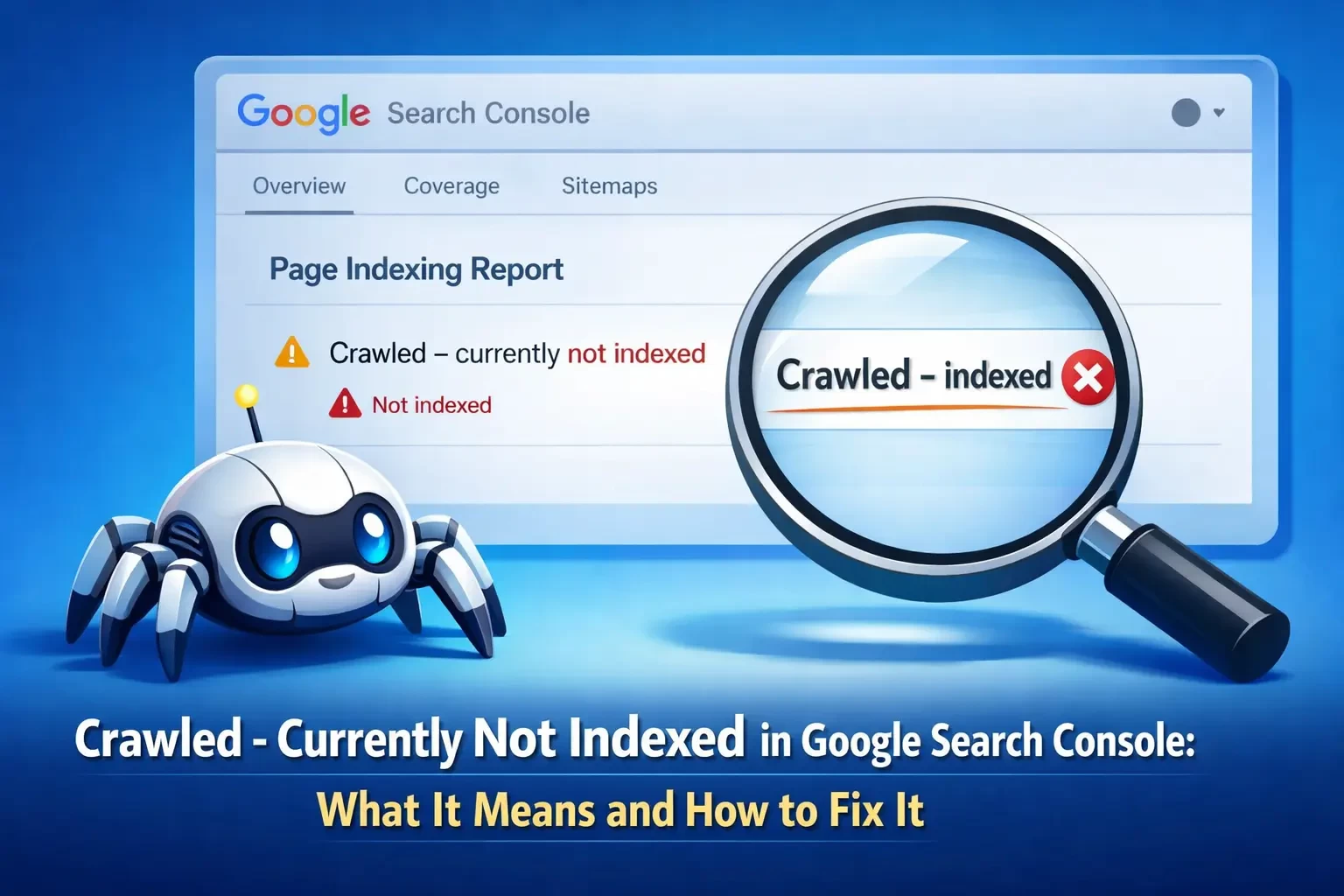
Crawled - Currently Not Indexed in Google Search Console: What It Means and How to Fix It
More experience in the digital marketing field often tends to give you a certain confidence in all aspects of the job. After working across industries, handling large-scale websites, and spending more time inside Google Search Console than I probably should admit, you start believing there are very few surprises left. Most indexing issues become predictable patterns. Thin content, weak links, or technical gaps - you learn to spot them early.
But every now and then, something shows up that doesn’t quite fit the usual patterns!
I came across this while auditing a site that seemed to have everything in place. The site had strong content, a clear structure, and no obvious technical issues. Yet several key pages were sitting under “Crawled - Currently Not Indexed,” with no clear explanation. That’s when I started worrying less about checklists and routines, and focusing more on understanding how Google evaluates content at a deeper level.
While I eventually found the root cause, it wasn’t straightforward, and it took careful analysis to understand why Google was holding back these pages. To save you from the same trial-and-error process, I’ve compiled a guide that explains what “Crawled - Currently Not Indexed” means exactly, why it happens, and how to fix it.
What Does “Crawled - Currently Not Indexed” Mean?
The “crawled - currently not indexed” label is given to those webpages that have been visited and crawled by Google bots but are not allowed to appear on the search results page. This decision is usually based on Google’s overall assessment of the web page’s quality, relevance, and importance.
I remember the first time I ran into this, I assumed it was a technical issue. Something broken, something missing. Turns out, it’s usually not that dramatic. Google simply isn’t convinced the page is worth indexing yet. Moreover, the search engine may choose to index the page later if it improves its overall quality.
There are several factors that influence Google’s indexing decisions, which usually include:
- Content depth
- Originality
- Internal linking
- Overall site authority
So yes, your page exists. Google knows it exists. It just isn’t impressed!
Where to Find This Issue in Google Search Console
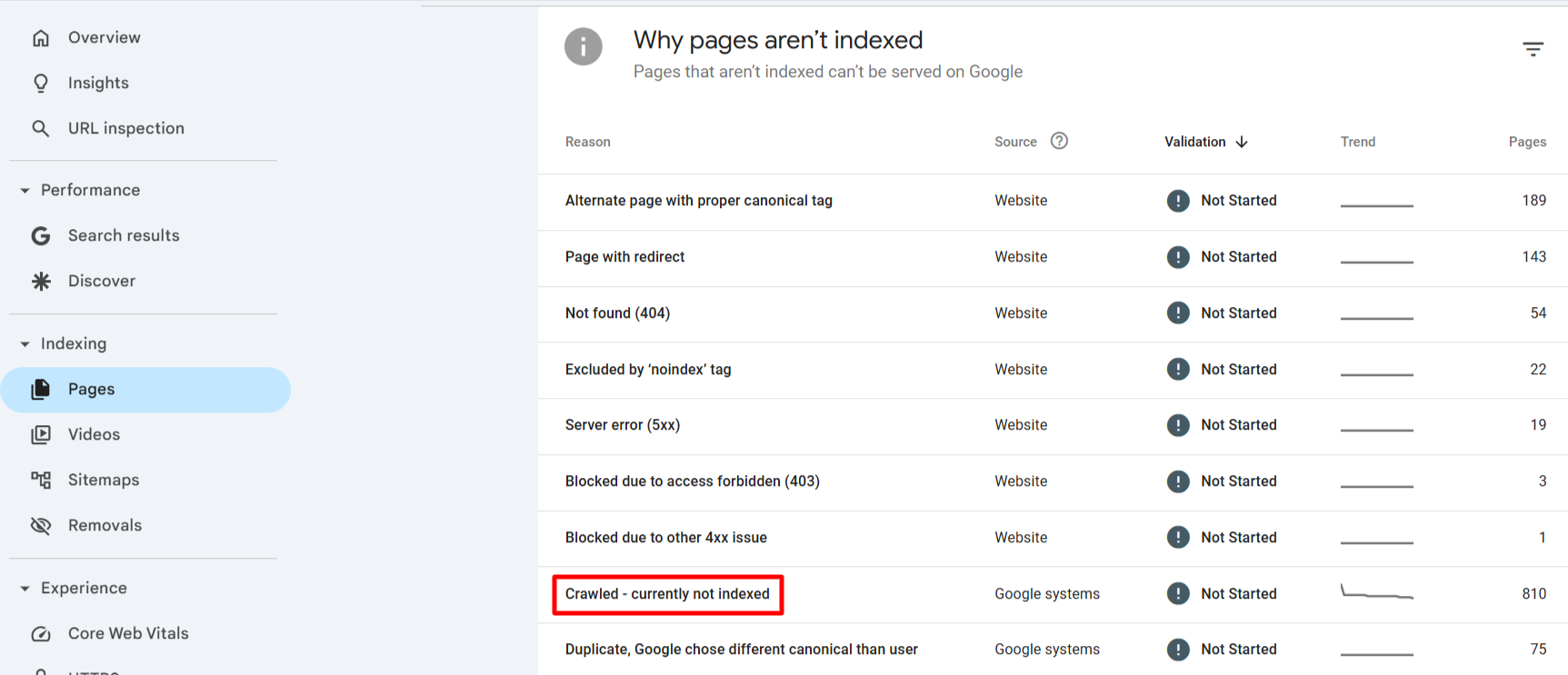
Here's how I usually navigate to the “crawled - currently not indexed” section in Google Search Console:
- Open Google Search Console and sign in to your account.
- Select the website property you want to analyze.
- In the left navigation menu, go to Indexing.
- Click on Pages.
- Scroll down and locate the section labeled “Crawled - Currently Not Indexed."
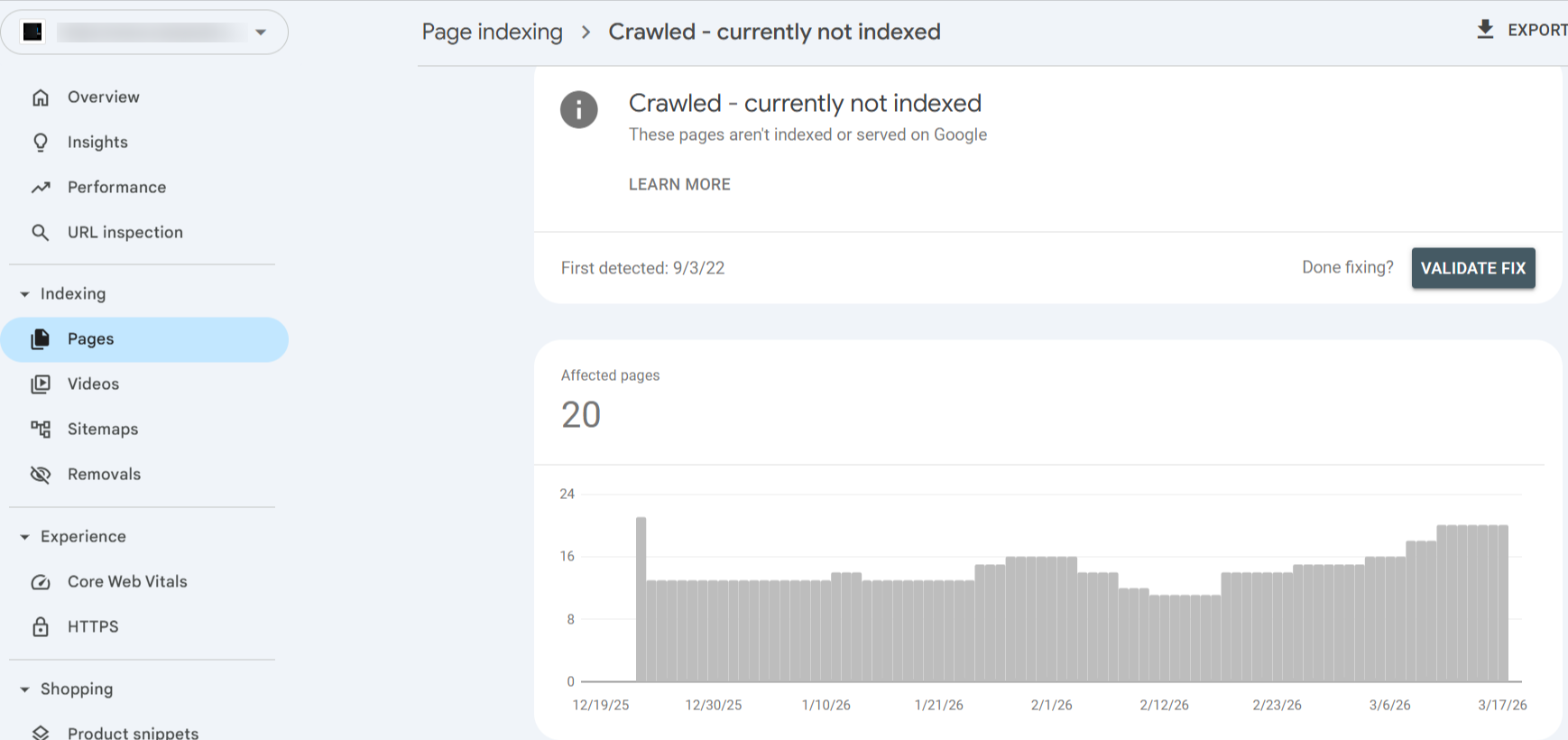
Inside this section, you will be shown a list of URLs that Google has crawled but not indexed yet. Reviewing this list can also help identify which pages require improvement and further optimization. It also allows website owners to detect patterns, such as entire sections of the site that may be performing poorly.
Common Reasons for “Crawled - Currently Not Indexed”
There are several reasons why Google chooses not to index the webpages that they have already crawled. Understanding these can help you take the right strategies. Some of the common reasons for the “crawled - currently not indexed” status are as follows:
Thin or Low-Quality Content: This is the usual suspect! I’ve audited pages that technically “exist” but say almost nothing. A couple of paragraphs and vague statements which resuls in no real value. Google crawls it, shrugs, and moves on. Typical scenarios include:
- Pages with only a few sentences
- Automatically generated pages
- Content that does not answer user questions
- Pages created solely to target keywords without real value
When Google detects such webpages that do not provide enough useful information, it may crawl the page but decide not to index it. Improving the depth and usefulness of the content can significantly increase the chances of indexing.
Duplicate or Similar Content: Webpages with duplicate content may also encounter this issue. When multiple webpages contain very similar or identical content, Google usually chooses to index only one version. The other versions may remain unindexed. This usually happens in:
Blog posts covering the same topic with minimal differences
Category pages with nearly identical descriptions
Product pages using the same text across multiple items
As we know, Google prioritizes and shows only the most useful version of duplicate or similar pages in search results. As a result, duplicate or near-duplicate pages often fall under the “crawled - currently not indexed” category.
Weak Internal Linking: Internal linking plays a crucial role in how search engines understand the importance of a page. That is, the more internal links a page has, the more important it is. If a page has very few internal links pointing to it, Google may interpret it as less important. For example, a blog post might be difficult for Google to prioritize if it is not linked from:
The homepage
Relevant category pages
Other blog articles
Pages that exist deep within the site structure without strong internal links have higher chances to remain unindexed. Strengthening internal linking across the website helps search engines discover and prioritize pages more effectively.
Low Website Authority: It is typical for new websites to experience indexing delays. I’ve worked on fresh domains where even solid content took time to get indexed. Google just doesn’t trust you yet. When a website has limited backlinks or a short history, Google may take longer to index new pages. Search engines naturally trust established websites more because they have stronger signals of credibility. However, this does not mean the content is bad. It simply means Google may need more signals before indexing every page quickly. As the site gains more reliable backlinks, publishes consistent content, and builds authority, indexing improves over time.
Technical or Crawl Budget Issues: Large websites face crawl budget limitations. Google allocates a certain amount of resources to crawling each website. If a website contains thousands of pages, Google may prioritize only the most important ones for indexing. In such cases, Google may crawl less important pages but not immediately index them. This usually happens across:
Large ecommerce websites
Sites with many filter pages
Websites generating many similar URLs
Improving site structure and prioritizing valuable pages helps Google focus on the right content.
How to Fix “Crawled - Currently Not Indexed” (Step-by-Step)
At a very foundational level, fixing the “crawled - currently not indexed” status requires improving web page quality and making it easier for Google to understand the importance of the page. Here’s the step-by-step process to fix the “crawled - currently not indexed” status:
Step 1 - Improve Content Quality: This is where I start, by reviewing the content on the page that has been labeled. Review by considering simple questions such as:
Does the page answer a specific user question?
Is the content detailed and helpful?
Does it provide unique information?
After reviewing the webpages, you can improve the page via the following ways:
Adding detailed explanations
Including subheadings and structured sections
Providing examples or practical insights
Adding images or visual elements
Search engines are much more likely to index pages that offer useful, well-organized information.
Step 2 - Add Internal Links: Internal links help search engine crawlers understand and acknowledge the top pages of a website. Link the page from relevant areas of your website, such as related blog articles, category pages, and topic hubs. If the page is particularly important, linking it from the homepage or a popular article can help signal its value to search engines.
Step 3 - Update the Content: Sometimes the page may simply need a content refresh. By updating the content, you are signaling to Google that the page is active and relevant. Possible updates include:
Adding new sections
Updating statistics or examples
Expanding existing content
Improving readability
Even small updates can encourage Google to reconsider the page for indexing.
Step 4 - Submit the URL for Indexing: After improving the page, you can request indexing directly through Google Search Console. This process involves simple steps, and they are as follows:
Open the URL Inspection Tool in Search Console.
Enter the full page URL.
Click Request Indexing.
This action prompts Google to crawl the page again and re-evaluate whether it should be indexed.
Step 5 - Check Sitemap Submission: An XML sitemap helps search engines discover important pages on your website. Make sure the affected page is included in your sitemap.
Then confirm that the sitemap has been submitted in Google Search Console. If the sitemap is missing important pages, Google may not prioritize crawling or indexing them. Updating your sitemap regularly helps search engines understand which pages deserve attention.
Difference Between “Crawled - Currently Not Indexed” and “Discovered - Currently Not Indexed”
While these two statuses look almost identical at first, they are entirely different. This can be confusing for so many website owners, especially due to the similar wording. Moreover, both the reports appear in the same section of Google Search Console, and both involve pages that are not indexed.’
A page that has a “discovered - currently not indexed” status means Google already knows the URL exists, but its bots have not crawled the page yet. The search engine may have found the URL through your sitemap, internal links, or external links, but it has not visited the page to analyze its content.
On the contrary, pages with a crawled - currently not indexed status have already been visited by the bots. However, after reviewing the page, Google decided not to include it in the search index for now.
Understanding this distinction is important, as the solutions for each issue are different. One is usually related to crawl priority and site structure, while the other often involves content quality or page value. A clearer way to understand the difference is through a side-by-side comparison:
I used to treat them the same, but they’re not! One is a crawling issue and the other is a quality or value issue.
Best Practices to Avoid The Status
Most people launching a website rarely think about indexing in the beginning. The focus is usually on content, design, and getting the site live. Indexing problems only get attention later, when pages fail to appear in search results.
Preventing indexing issues is always easier than fixing them after they start appearing in Google Search Console. When pages repeatedly show the crawled - currently not indexed status, it often points to underlying issues present in the website. Search engine bots are constantly working on reviewing and evaluating how useful and well organized a website is. If a page provides limited information, appears too similar to other pages, or is difficult to reach through internal links, Google may decide not to include it in the search index even after crawling it.
Here are some of the practical ways I learned. They can help reduce the chances of pages being labeled under the crawled - currently not indexed status:
Publish high-quality, informative, and helpful content
Avoid creating duplicate or very similar pages
Maintain strong internal linking throughout the website
Update content regularly to keep them relevant and fresh
Regularly update the XML sitemap
Monitor indexing reports in Google Search Console
I recommend regularly reviewing the Search Console reports to stay updated on issues early and take action before they begin affecting search visibility and organic traffic. If you wait until half your pages are unindexed, fixing it becomes a much bigger job!
Managing Page Indexing for Better Search Visibility
As a website grows with new content and webpages, maintaining proper indexing in Google Search Console is critical. In essence, when you come across “Crawled - Currently Not Indexed," it is simply Google’s polite way of saying that your webpage didn’t make the cut. Not broken, not penalized, just… not good enough yet! However, when this issue appears across multiple pages, it can limit visibility and reduce the chances of users discovering valuable content through search engines.
Once you start treating it as feedback instead of an error, it becomes easier to fix. By improving content quality, strengthening internal linking, updating pages regularly, and submitting important URLs through Search Console, you can increase the likelihood of their pages being indexed. Businesses that consistently monitor indexing reports and maintain clear site structure will gain better search visibility.
I’ve seen pages go from ignored to indexed just by improving content and linking. No tricks, no hacks, just making the page worth Google’s time. And what makes it better is that this practice can help your content reach the audience it was created for!
Related Blog